
Tool · Windows and macOS desktop app · BSD 2-Clause
V9 Retro Controller
A fast desktop app for watching and driving Windows 95, 98 and 2000 (and DOS) machines that run the V9x Remote Agent, a whole fleet at once: status, screenshots, inventory, a command console, files, processes, registry, input, power, agent updates and a built-in VNC viewer. It finds agents on your network by itself.
Release 0.1.0, 24 Oct 2026. One self-contained exe: no installer and no .NET to install. It keeps itself up to date.
What it does
Features
Fleet dashboard
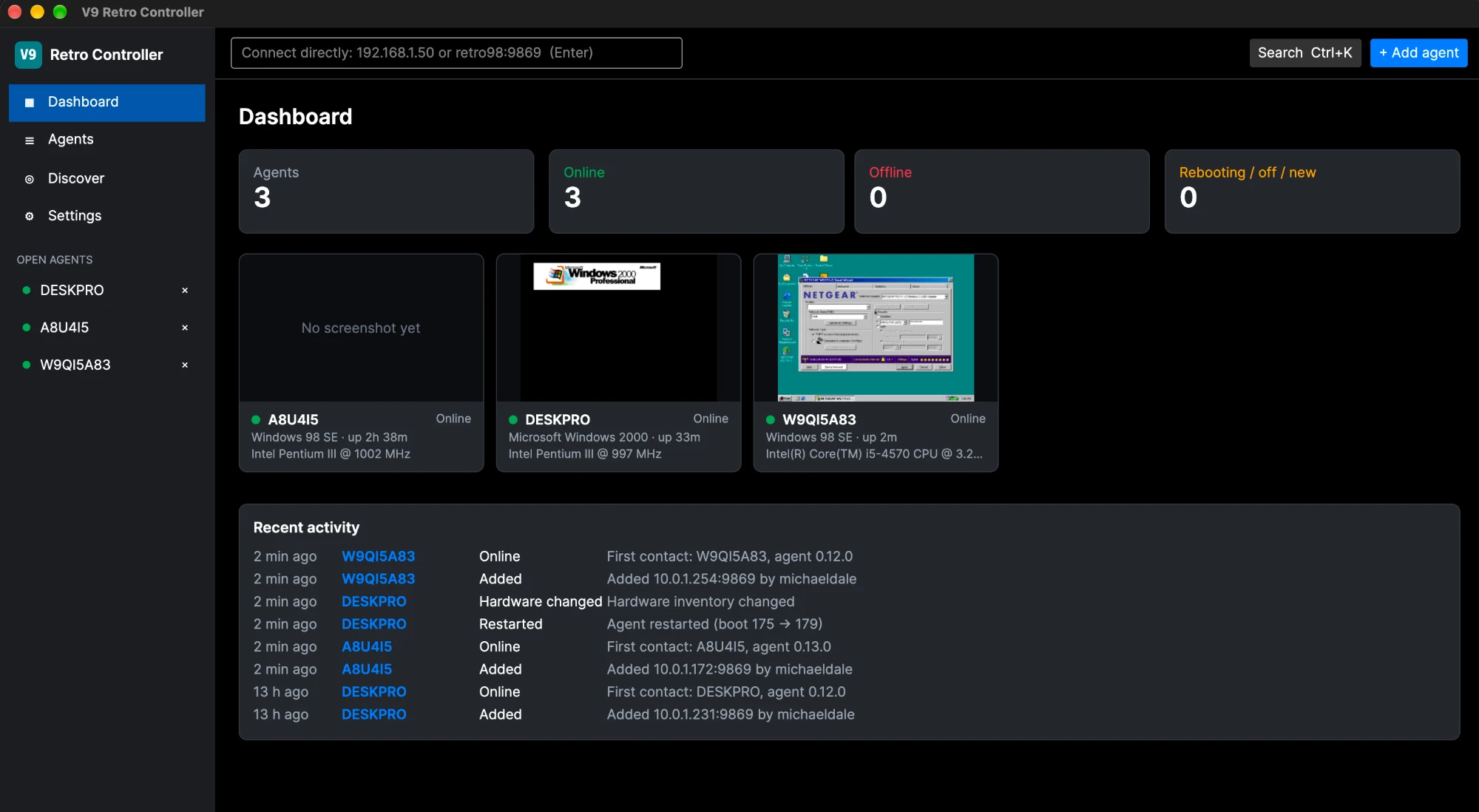
Online, offline and rebooting counts, a card per machine with its latest screenshot, recent activity, and a sortable, filterable table with bulk poll, screenshot and pause. Polling carries on with the window closed to the tray.
Finds machines itself
mDNS discovery of agents on the LAN (agent 0.8.0+). Machines are tracked by their install ID, so a changed DHCP address is followed and a different machine at a saved address is flagged.
Everything per machine
Live screenshots and history, inventory (CPU, memory, drives, display, network, Windows, BIOS, devices with problem codes), a command console with streamed output, a drag-and-drop file browser, processes, a read-only registry browser and the window list.
Built-in VNC viewer
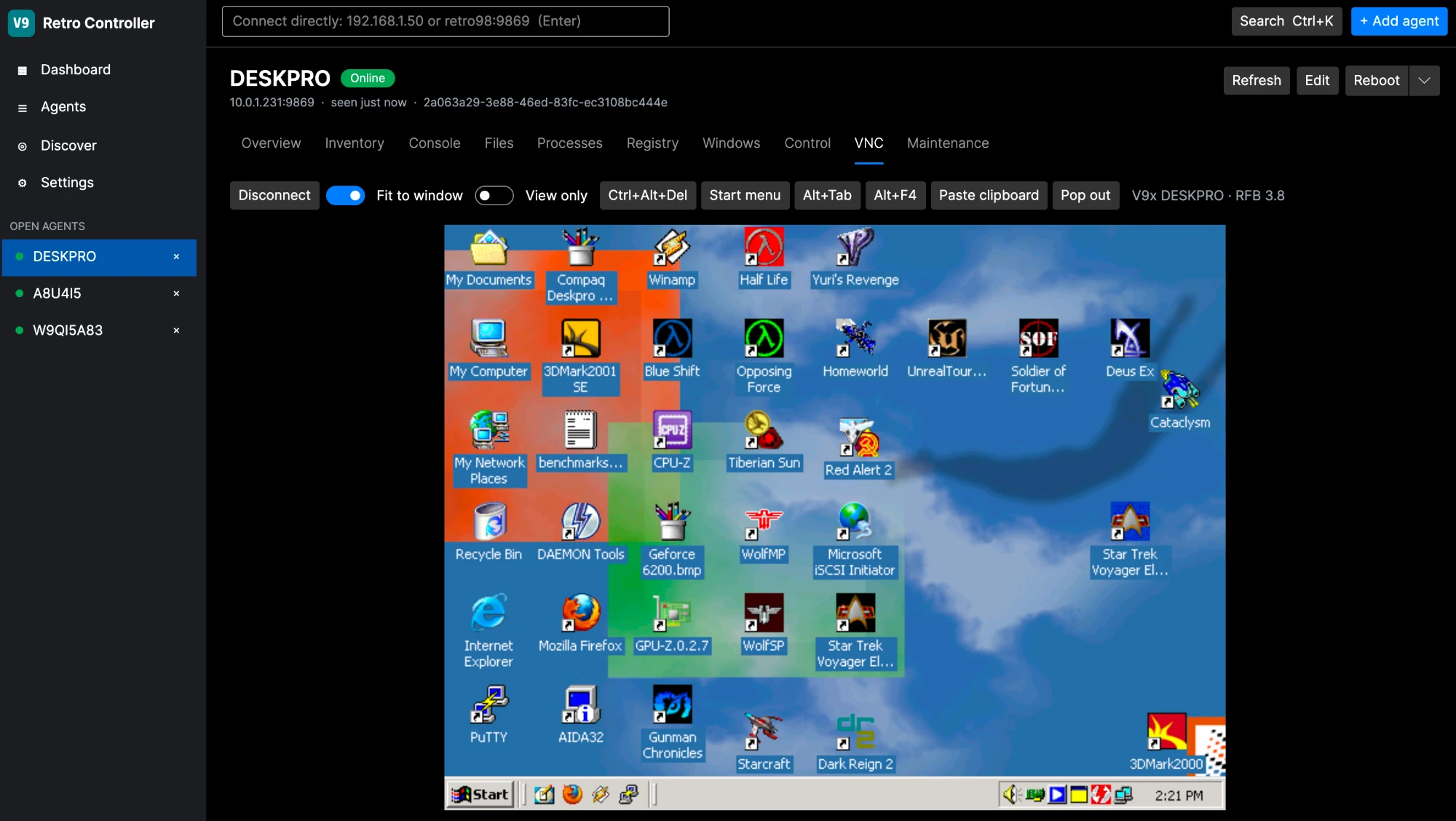
For the agent’s V9XVNC.EXE, with scaling, special keys and Ctrl+Alt+Del, clipboard both ways and a pop-out window. VNC can be started, stopped, enabled and disabled from the app.
Power and input
Reboot, shut down and hard reset, with reboot proof by boot counter and token; click and type through the agent when VNC is off.
Agent updates
Update agents directly from the release server (0.13.1+ stage their own update and hot-swap it in), through this PC (any agent from 0.6.0), or from a package folder.
Quick connect and Ctrl+K
Type an address to control a machine without saving it, or search for any agent or action.
Remote access
One Windows PC can host the agents, history and polling for other copies of the app, such as a Mac, over HTTPS with a pinned certificate and a revocable token per client.
Platforms
Download and build
Windows: download V9RetroController-<version>-win-x64.exe from the release and run it.
macOS: the app runs on Apple Silicon and Intel Macs, built from source with scripts/build-mac.sh. Release downloads are Windows-only for now; the Mac app will be added to a later release.
Built with .NET 10 and Avalonia. Free software under the BSD 2-Clause licence.
dotnet build V9Retro.sln
dotnet test V9Retro.sln
dotnet run --project src/V9Retro.App